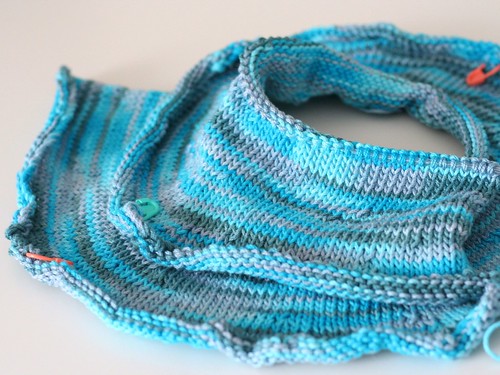
I've felt wool. Even merino wool. And I know that quality wool can be soft. Soft enough for next to baby's skin even. But Malabrigo? That is some kind of dreamy butta. And once you try it... well it's hard to stop!
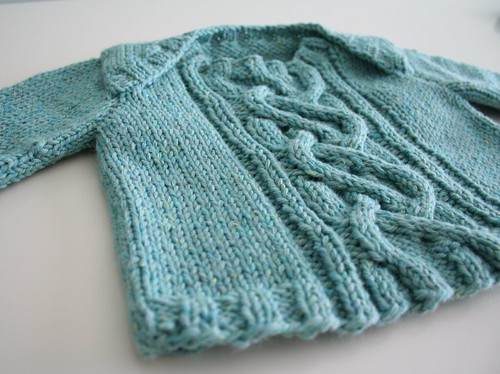
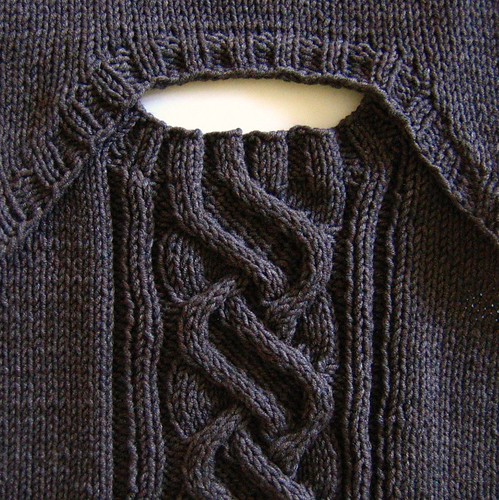
I started with five balls last fall. It came highly recommended for soakers and since I was planning to cloth diaper baby I was primed with the perfect excuse to order it! With those five generous balls I knit her a pretty compete trousseau of yummy goodness starting with a placket neck sweater from Joelle Hoverson's
Last Minute Knitted Gifts (one of my very favourite knitting books). It took less than a ball of Malabrigo and man has she gotten wear out of this one. It is just so darling. And comfortable. And dreamy. Love it!
Then came the picky pants. I used Theresa Belleville's pattern over at
Little Turtle Knits and knit them with both increases and short rows to accommodate her fluffy cloth diapered bottom. I knit the medium, small and extra small sizes and was pleasantly surprised that each used up just one ball of Malabrigo (in lettuce, glazed carrot and dusty pink respectively). There were even leftovers from which I knit a striped pink and orange soaker (in first picture above) using Radiant Twist's
trim-fit soaker pattern.
Then came the most adorable thing I've ever knit: the
Juliette skirt and soaker pattern from Tia Novick for Julibeans. I knit the A-line version and finished it off with the tedious but lovely picot bind-off. Love, love, love it! She doesn't get to wear this one as much because it's just too cold really to keep a teeny baby in tights but I see lots more of these in my future for spring and summer. The colourway is Violetas (how fitting for my little Abbey Violet ;0) and it also just used up one ball (I knit up size small).
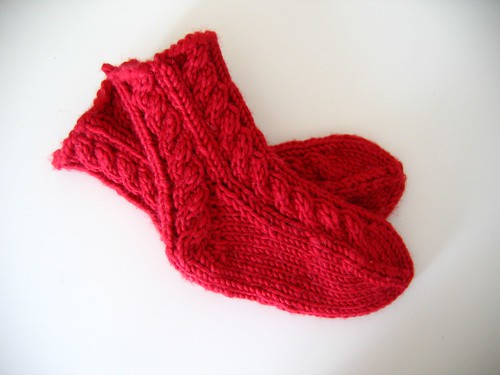
What? There is yarn left? Well then, let's make some booties, shall we? I knit up two pairs of
Dreambaby Booties from Fabulous Yarns. Getting the pattern is kind of a pain because while it is free you still have to checkout from the site with it but totally worth it because it is the simplest bootie pattern you will ever knit. I only knit 6 rows of garter stitch at the beginning (3 garter bumps) and then knit the rest entirely in stocking stitch. Lovely. And they never fell off! She wore these lots and lots. Mine ended up being different sizes because I used different sized needles. Unfortunately, I didn't document that part so have no idea which needles I used :0/
And after all of that, there was still enough yarn for a little newborn hat. And a flower binky holder using
Susan B. Anderson's free pacifier clip pattern. Isn't it great to knit for winter babies? Everything is so quick and uses so little yarn. I can't believe I knit all this from just five balls! The only downside to this yarn? It pills. Like mad. Better reason yet to use it for wee wee babes that don't move a lot ;0)
Sigh. What a wonderful week that was. It was also what pulled me back into knitting after such a long break and it was just the medicine I needed. So if you've heard the malabrigo rave before but didn't believe it, believe it! It is that wonderful ;0)
So naturally, now that she started outgrowing that first lot of malabrigo goodness, it was time to hit the shops again in search of more glorious malabrigo for her 3-6 month trousseau!
More on that next time...